portfolio / notes / where-state-lives.mdoc
Does my frontend need a store?
Which state management strategy should my frontend have? Where each piece of state belongs, when a store pays off, and the same Angular form with and without a SignalStore.
- Angular
- NgRx
- State management
In modern frontend architecture we keep running into screens where the data never sits still: lists that refresh, forms that save as you type, filters, selections, server responses arriving at their own pace. Single-page apps give us that flexibility, and with it a question shows up quite naturally as soon as we see the complexity coming: which state management strategy should my frontend have?
My short answer: before picking a library to centralise state management, decide where each piece of information lives, who can change it and how long it should exist. The tool comes after.
What we call state
State is whatever the app needs to remember to know what to show. Let's take a hypothetical example: a system for managing flight bookings. In its bookings table, the state is the rows that came from the server, the filters, the page you are on, the selected rows, whether a request is in flight and the changes you have not saved yet.
You have state even without a library: a boolean that opens a modal is state too. And not everything needs storing: if you can count the selected rows from the selection, keep the selection (component state) and compute how many rows are selected (derived state).
The real problem: copies that disagree
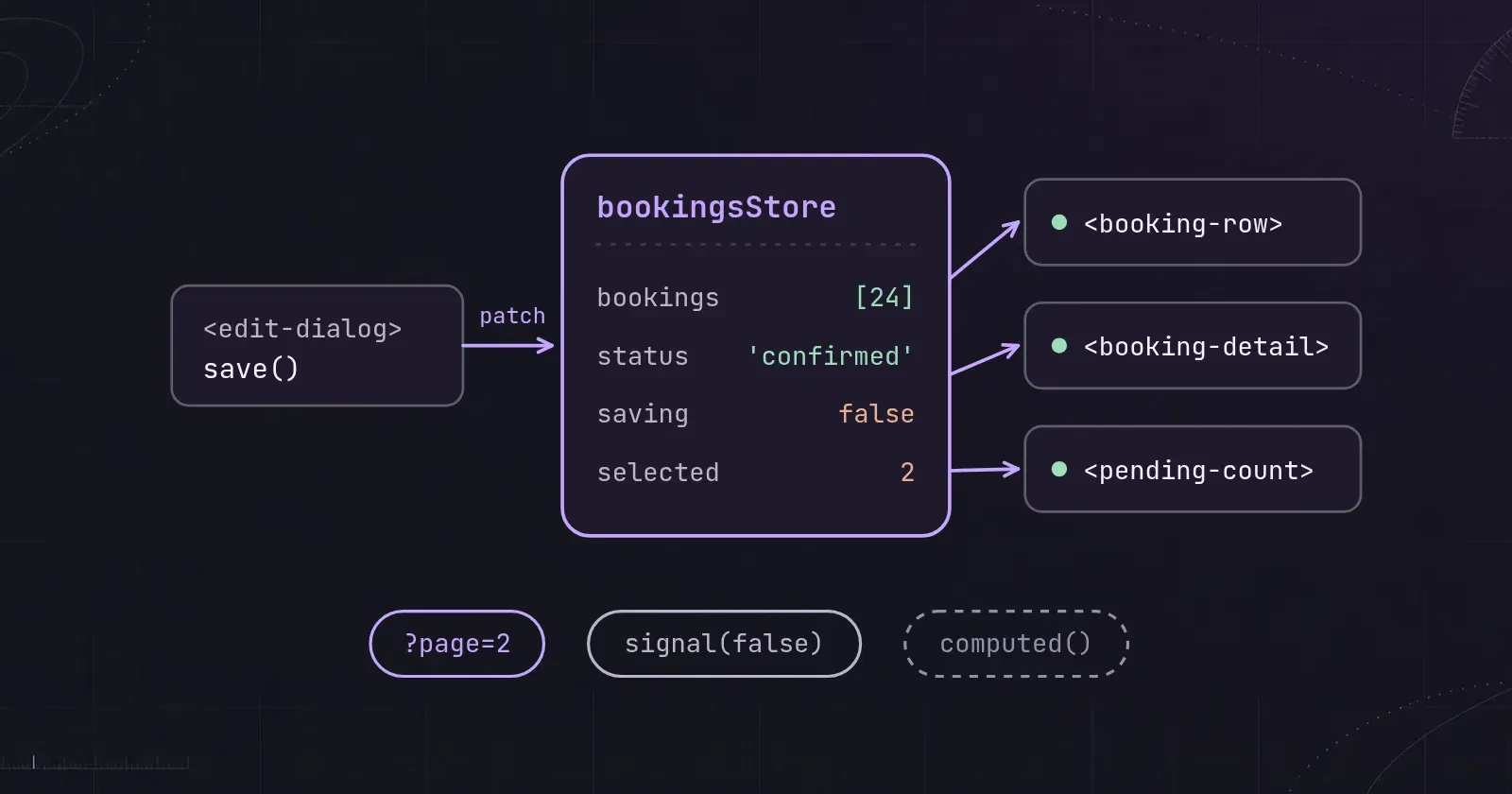
You edit one of the bookings in a dialog and save. The row should update, and maybe the detail and a counter too. If each part keeps its own copy, someone has to remember to update all of them, component by component.
That is how the classic bugs show up: a screen showing old data, two components sending the same request, a slow response overwriting a newer one. From there, the need to centralise these moments in the data's life cycle comes naturally, so that every component reads the up-to-date version. One of the most common strategies in frontend development is the store pattern, though it is not the only one we could use.
When a store pays off
A store gives you one place to look, predictable updates and logic you can test on its own. It also costs: more structure, conventions to agree on, and the temptation to put everything in it. Centralising can simplify a lot, or turn a local problem into a dependency of the whole app.
A store also does not fix consistency on its own. It gives every update an owner and one place to happen, but a slow response can still overwrite a newer one inside the store, and a request can still go out twice. That takes a concurrency policy (cancel, queue or ignore what arrives while busy), invalidating data that went stale, and rules the server enforces.
If I have to pick a criterion for reaching for more structure, I don't start by counting components: I give more weight to these signs:
- every change means updating several components by hand,
- the update rules are scattered across screens,
- responses can arrive out of order, or you need to retry or undo,
- it is hard to explain how the app got into a given state.
The question is not how many components read a piece of data, but how many can change it, under which rules and with what consequences.
Then the tool follows the need:
- local state: the framework's own tools;
- a feature with its own logic: a service or a scoped store, like NgRx SignalStore;
- server data: a server data cache, such as TanStack Query;
- many events to coordinate: actions and effects, with NgRx Store in Angular or Redux Toolkit in React.
Mind you, they are not small and large versions of the same thing but tools for different problems. And when choosing, what your team already knows weighs as much as how nice the API is.
Each piece in its place
Let's say that, with these signs, we have already decided that our frontend needs a store to scale well. One store for the whole app, then? Not necessarily: it is time to ask the question for each piece of state.
| Question | Example | Where I would put it |
|---|---|---|
| Does it only matter to this component? | An open dropdown | Local (component) state |
| Do I want to share it in a link? | Filters and pagination | The URL |
| Is it server data that can go stale? | Search results | Server data cache |
| Does it belong to one process? | The draft of a wizard | Feature state |
| Do different areas of the app need it? | The active organisation | Shared app state |
| Can it be computed from other values? | The selected total | Derived state |
A note on two rows of the table: if a piece of state is used by one component only, it is component state; if several components of the same process share it, like the steps of a wizard, it is feature state.
The most useful distinction is between the saved booking and the draft of its edit. The saved booking comes from the server and other screens read it: by nature it is shared app state, or the server data cache. The draft only lives while the dialog is open and should disappear when you save or cancel: it is component state and, if you want it to survive a reload while editing, you can persist it in the browser's storage (sessionStorage, one per tab). Keep both in one object and, sooner or later, the next record opens with the previous draft.
The same form, with and without SignalStore
Let's move to code with a small, practical example: the dialog that creates a booking, first without a store and then with one. In both versions the form itself (FormGroup, with its values and validation) stays in the component; what moves is the operation and the state it produces.
Without a store, three signals and a call:
readonly bookings = signal<Booking[]>([]);
readonly saving = signal(false);
readonly error = signal<string | null>(null);

submit() {
  this.saving.set(true);
  this.api
    .create(this.form.getRawValue())
    .pipe(finalize(() => this.saving.set(false)))
    .subscribe({
      next: (b) => this.bookings.update((list) => [...list, b]),
      error: () => this.error.set('Could not save.'),
    });
}
For a dialog that only lives on this screen, this is perfectly fine. But should the form carry all this responsibility? That is another thing to weigh when designing: whether we want the presentation (the template and the component's API) kept apart from the data's life cycle.
With SignalStore, the same state and logic move to the store:
export const BookingsStore = signalStore(
  withState({
    bookings: [] as Booking[],
    saving: false,
    error: null as string | null,
  }),
  withMethods((store, api = inject(BookingsApi)) => ({
    create: rxMethod<NewBooking>(
      exhaustMap((input) => {
        patchState(store, { saving: true, error: null });
        return api.create(input).pipe(
          tapResponse({
            next: (b) =>
              patchState(store, (s) => ({
                bookings: [...s.bookings, b],
              })),
            error: () => patchState(store, { error: 'Could not save.' }),
            finalize: () => patchState(store, { saving: false }),
          }),
        );
      }),
    ),
  })),
);
And the component just asks for it:
readonly store = inject(BookingsStore);

submit() {
  this.store.create(this.form.getRawValue());
}
Now the form just calls its action's method on the store: all the logic of the request and of handling the data is out of its hands, and the template does not change. exhaustMap ignores a second click while a creation is running. That is a policy, not a shield against duplicates: a second booking the user really meant to create in that moment is dropped too, and once the first one finishes the next click creates again. If every click must count, concatMap queues them; if a duplicate must never reach the database, the server has to recognise it. There is not less code: the gain is that the operation and its rules have one explicit owner, which pays off once more components or rules depend on it.
Where the store lives
The component only needs inject(BookingsStore), but where does that instance come from? Picking a store does not decide where it lives, and two different decisions hide here. One is scope: who shares an instance and when it is destroyed. In Angular, where you provide it answers that:
@Component({
  selector: 'app-bookings-page',
  providers: [BookingsStore],
  template: `<app-booking-dialog /> <app-booking-list />`,
})
export class BookingsPageComponent {}
Provided in a component, the store is born and dies with it, and its children inject() that same instance. Provided in each editor, every editor gets its own. A feature in NgRx's global store, on the other hand, lives as long as the app.
The other decision is loading: when the store's code is downloaded. That depends on how the code is imported, not on providers. Its code arrives later only if everything that uses it is loaded lazily, for example behind a route with loadComponent or loadChildren. Providing it in a component decides how long the instance lives; it does not make its code lazy. The two often go together, in a lazy route that also provides the store, but they answer different questions.
The clearest test: if I open two editors at once, should they share the draft or each have their own?
In short
So, back to the opening question: which state management strategy should my frontend have? Not a single one, but the one that gives each piece of data its place. I still think about how big the app will get, but I no longer start there. I start with what I need to keep, who can change it, who depends on it and when it should go away. Sometimes the answer is a store; other times a signal in the component, the URL, or a cache for the server's data. What I am after is that every change has an obvious place.
Check yourself
Pick an answer to see whether it is right, and why.
Sources: Angular's guides to signals, reactive forms and hierarchical dependency injection; NgRx's SignalStore, RxJS integration and Store.